

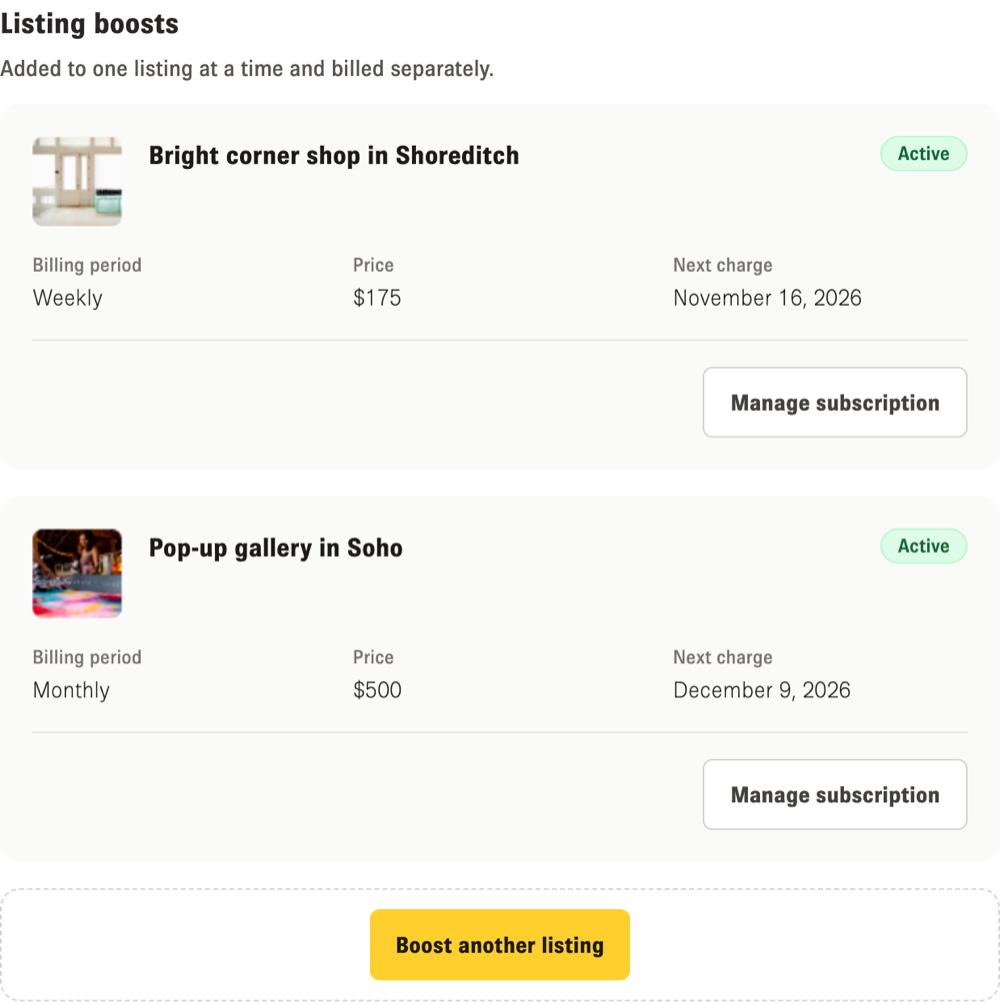
All your boosts are in My subscriptions, under "Listing boosts". Each one shows its status, billing period and price. A weekly or monthly boost shows its "Next charge", an older boost shows "Boost until", and a free boost, or any boost that has been cancelled and is running to the end of its period, shows "Ends on". You will find the same details in the Boost tab of the listing.
How to cancel a boost
1. Open My subscriptions, or the Boost tab of your listing.
2. Click "Manage subscription", then cancel it in the billing portal.
What happens after you cancel
Your boost keeps running until the end of the period you've already paid for. After that it doesn't renew, and you aren't charged again. Until then, its status shows the date it ends.
We don't refund part of a period.
Invoices and payment method
In My subscriptions, click "Manage subscription". It opens our secure Stripe billing portal, where you can download your invoices and update your payment method.
If a payment fails
A weekly or monthly boost keeps running while we try the payment again, and My subscriptions shows a payment issue. Click "Manage subscription" to update your payment method. An older boost may stop showing as boosted until the payment goes through: update your card in "Manage subscription" if it's shown, or contact our support team. If the payment still can't be collected, the boost ends.
If your listing goes offline or is archived
If you take a boosted listing offline or make it incognito, it leaves search but your boost keeps being charged, so cancel the boost if you no longer need it. If you archive the listing, a weekly or monthly boost is cancelled at the end of the period you've paid for. An older boost isn't cancelled when you archive: cancel it from the Boost tab of the listing or from My subscriptions.
Older and free boosts
Boosts bought before the current weekly and monthly options are in My subscriptions too, and some don't show a price. Older 1-week and 2-week boosts are active for 7 or 14 days in each billing period. Between those days your listing isn't boosted, even though the boost still shows as active until you cancel it. Click "Cancel boost" to cancel one: it ends straight away, the time left isn't refunded, and you aren't charged for it again. If it shows "Manage subscription", its invoices are in the billing portal. Otherwise, contact our support team for invoices.
Free or promotional boosts have an end date and no billing, so they aren't in the billing portal. Click "Cancel boost" to end one, and it ends straight away.
To learn more, see What is Boost and how does it work?