

캘린더에 액세스하려면 다음 링크를 통해 로그인하여 Storefront 계정으로 이동하세요 https://www.thestorefront.com/
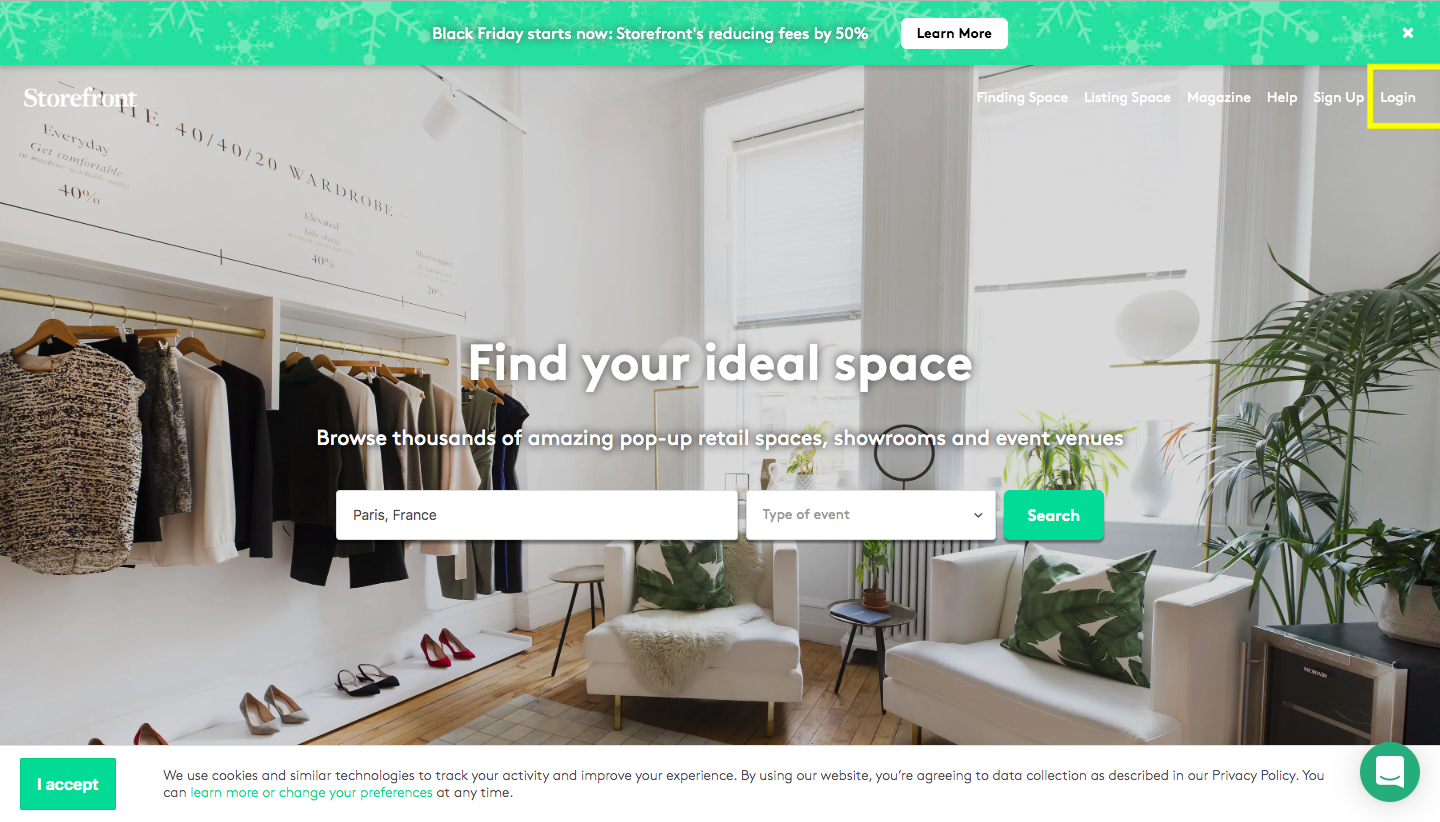
Storefront homepage with Find your ideal space search bar and Login button highlighted in yellow

그런 다음 이메일 주소와 비밀번호로 로그인하세요. 비밀번호를 재설정해야 하는 경우 https://www.thestorefront.com/forgot-password를 클릭하세요.

로그인 후 '캘린더'로 이동하세요.
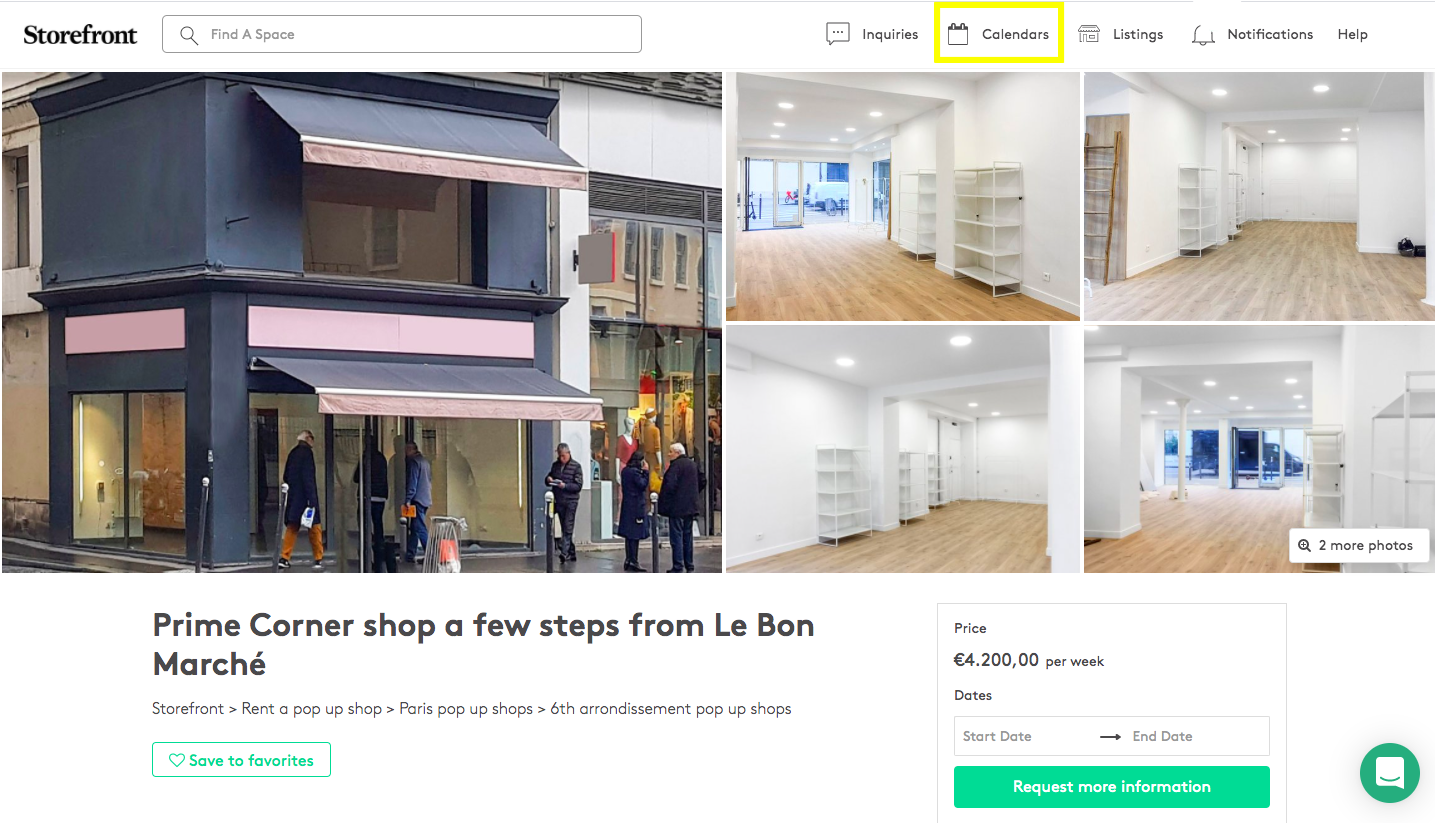
Storefront space listing page for a prime corner shop near Le Bon Marché with Calendars tab highlighted in the navbar

날짜를 차단하려면 녹색 버튼 '특정 날짜 차단'을 클릭하여 임차인이 공간 가용성을 확인할 수 있도록 하세요.
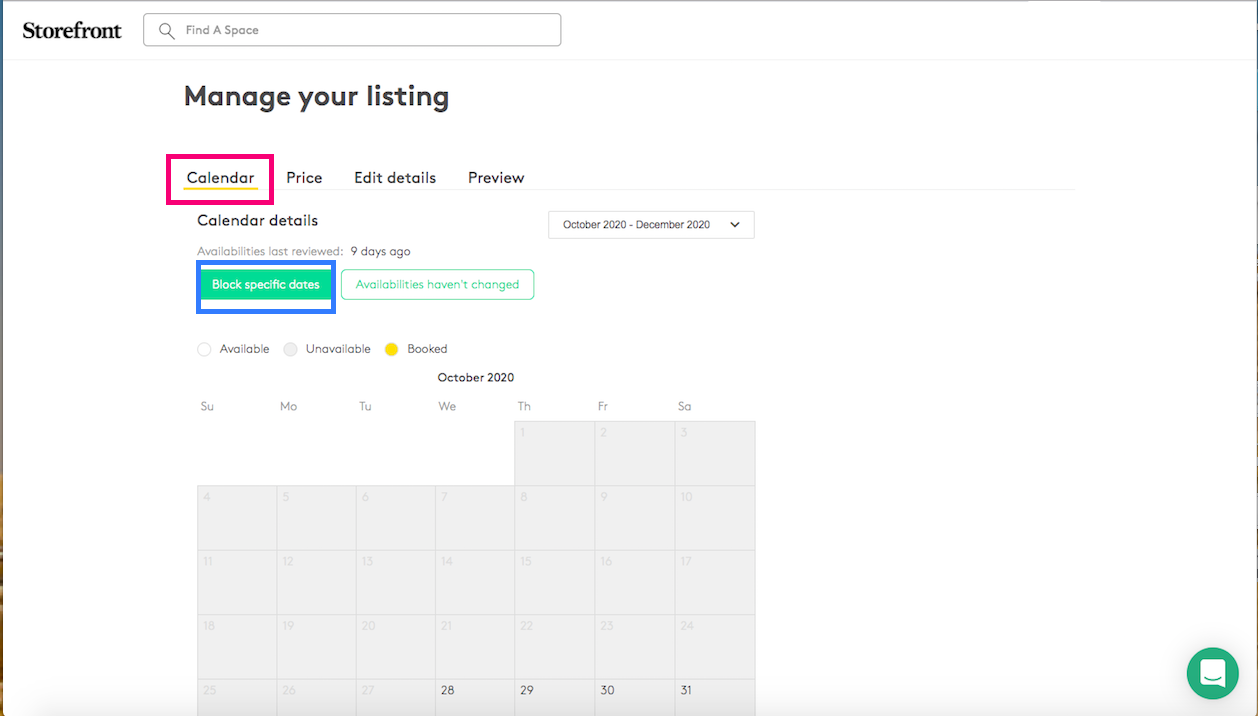
Manage listing Calendar tab showing October 2020 with Block specific dates and Availabilities haven't changed buttons

그런 다음 '차단됨'을 클릭하면 해당 날짜가 캘린더에서 회색으로 표시됩니다.
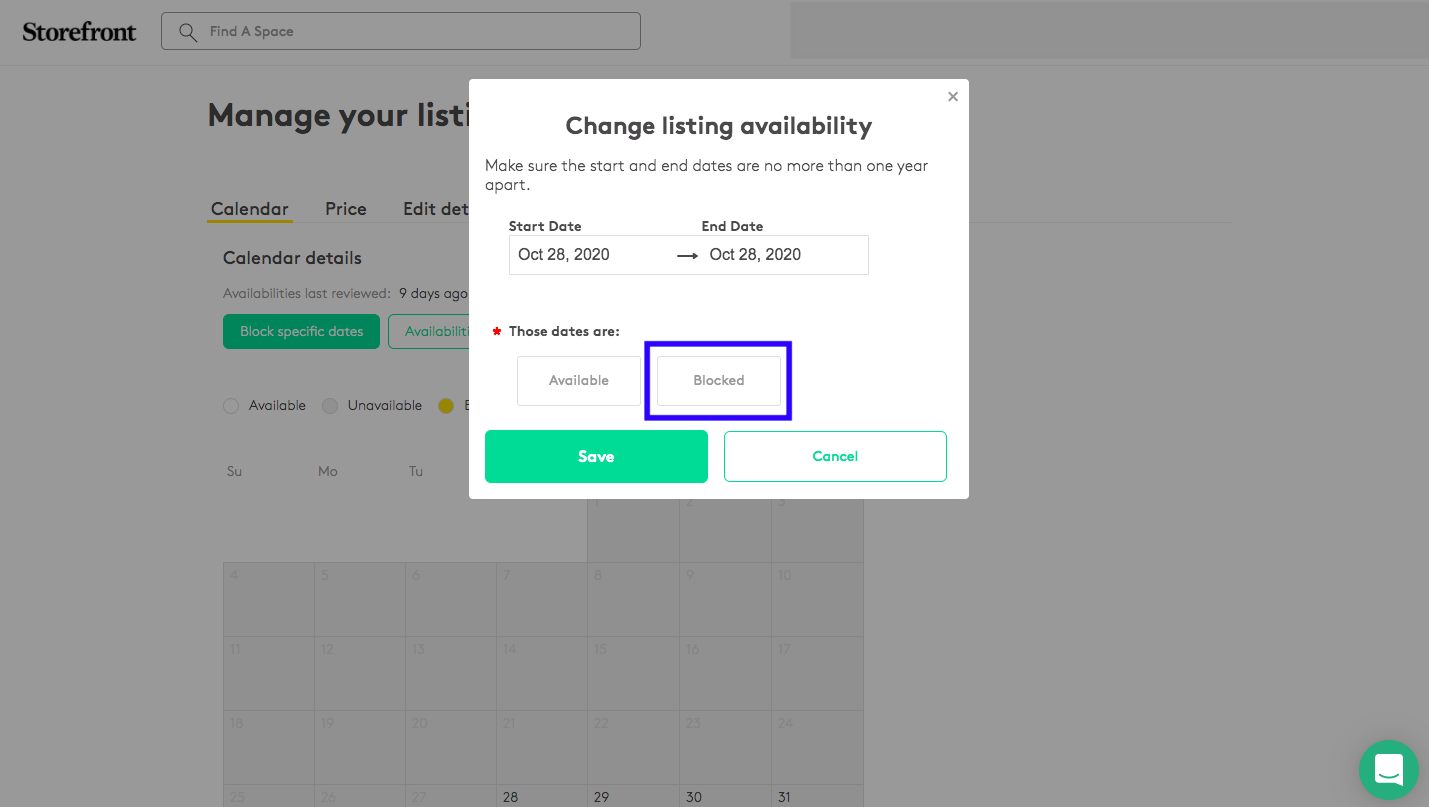
Change listing availability modal with date range October 28 2020, Blocked option selected and highlighted

이전에 날짜를 차단했지만 해당 기간에 공간이 실제로 이용 가능한 경우, 동일한 과정을 따르되 이번에는 '이용 가능'을 클릭하여 차단했던 날짜를 해제하세요.
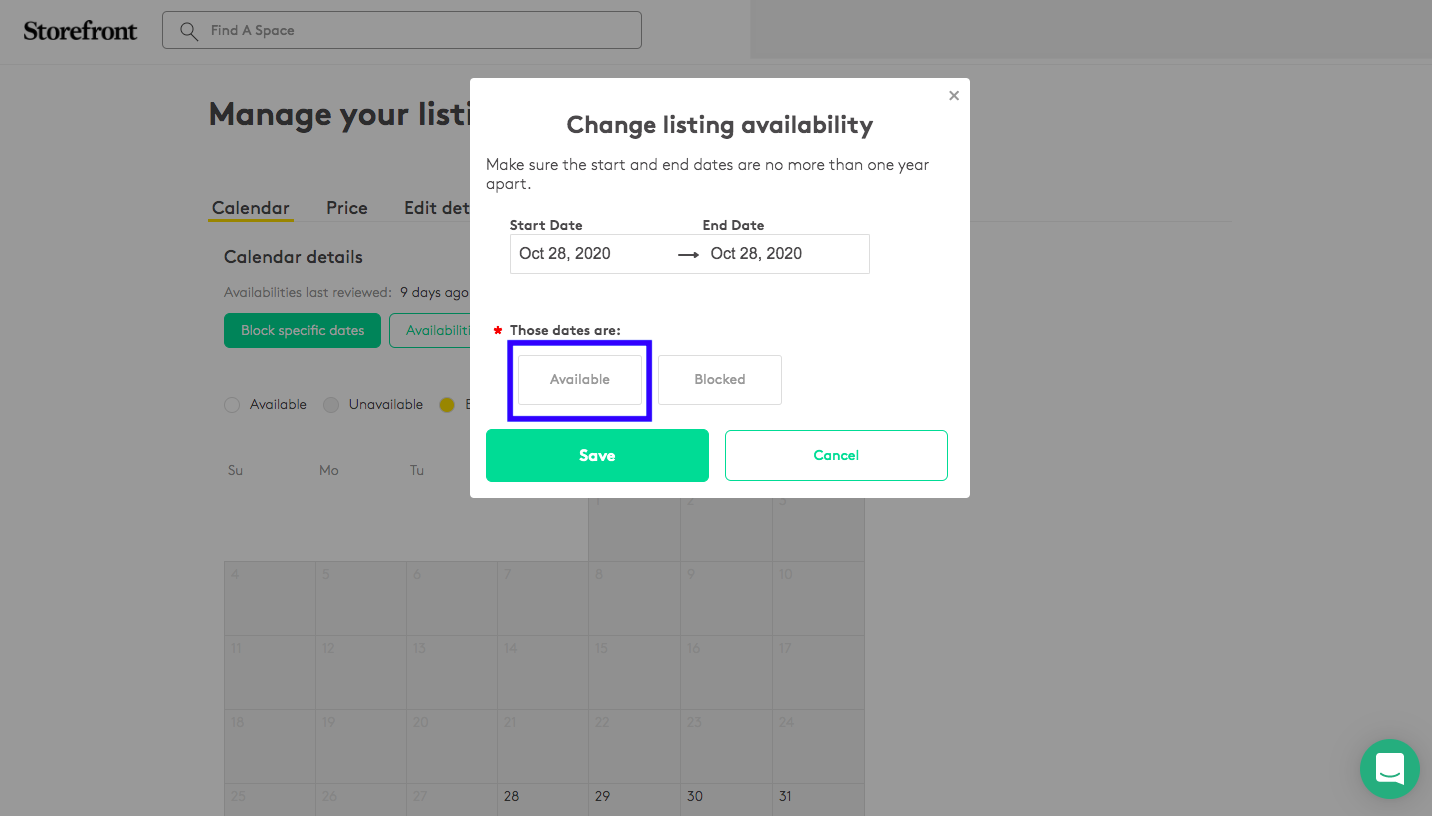
Change listing availability modal with Available option selected and highlighted

마지막으로 '가용성 변경 없음' 버튼은 캘린더를 최신 상태로 유지하도록 상기시키는 자동 이메일과 관련이 있습니다. 차단할 기간/날짜가 없는 경우 이 버튼을 클릭하세요.
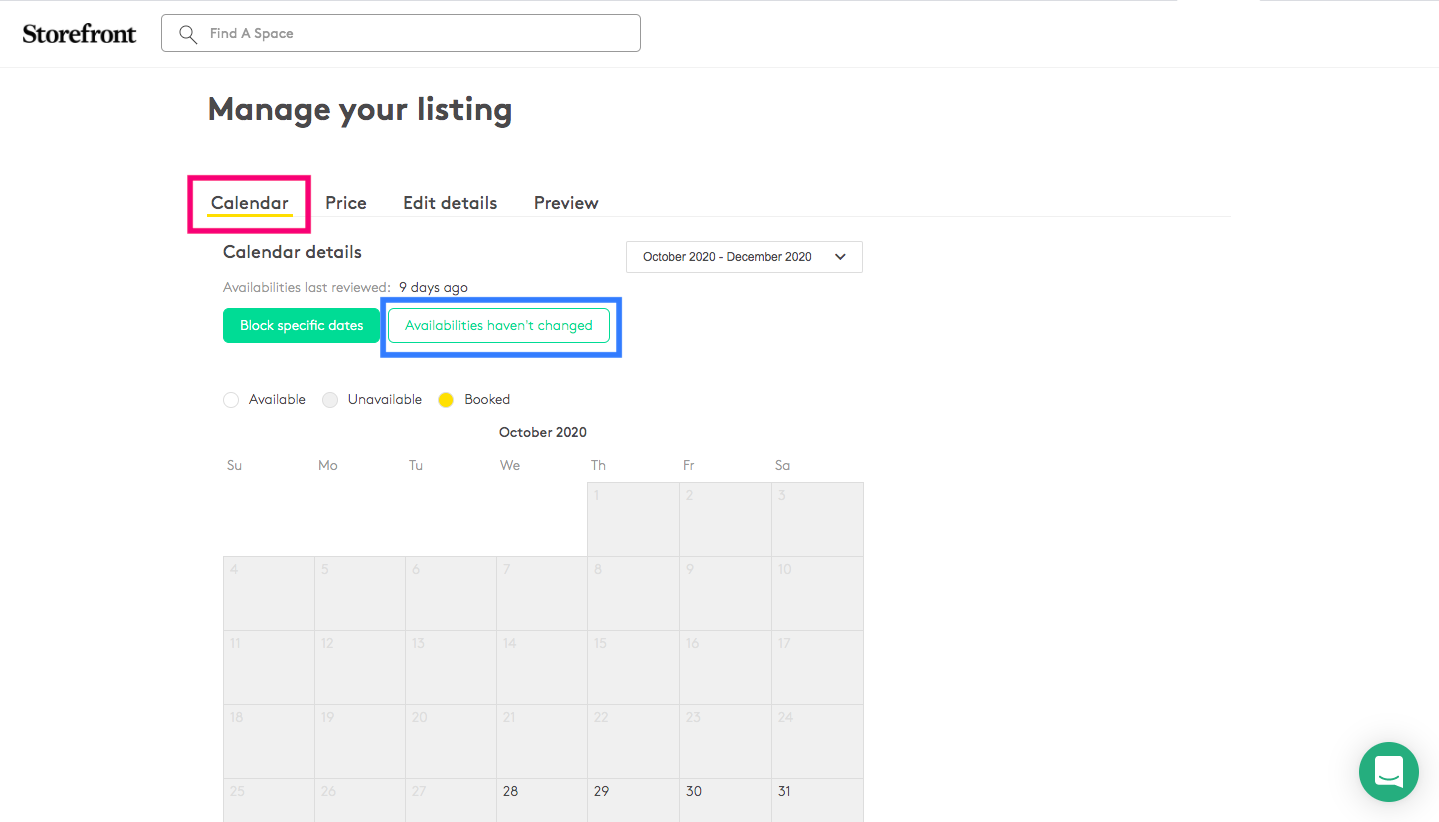
Manage listing Calendar tab with Availabilities haven't changed button highlighted in blue

자세한 내용은 다음 링크를 참조하세요 http://blog.thestorefront.com/fr/how-to-use-storefronts-availability-calendar/