

您可以隨時更改您的房源可見度設定。請確保您熟悉 Storefront 上的各種可見度設定。
以下文字將向您說明如何透過您的帳戶更改房源的可見度設定。您擁有對這些設定的完全控制權。
登入帳戶後,點擊螢幕頂部欄中的「房源」標籤,如截圖所示:
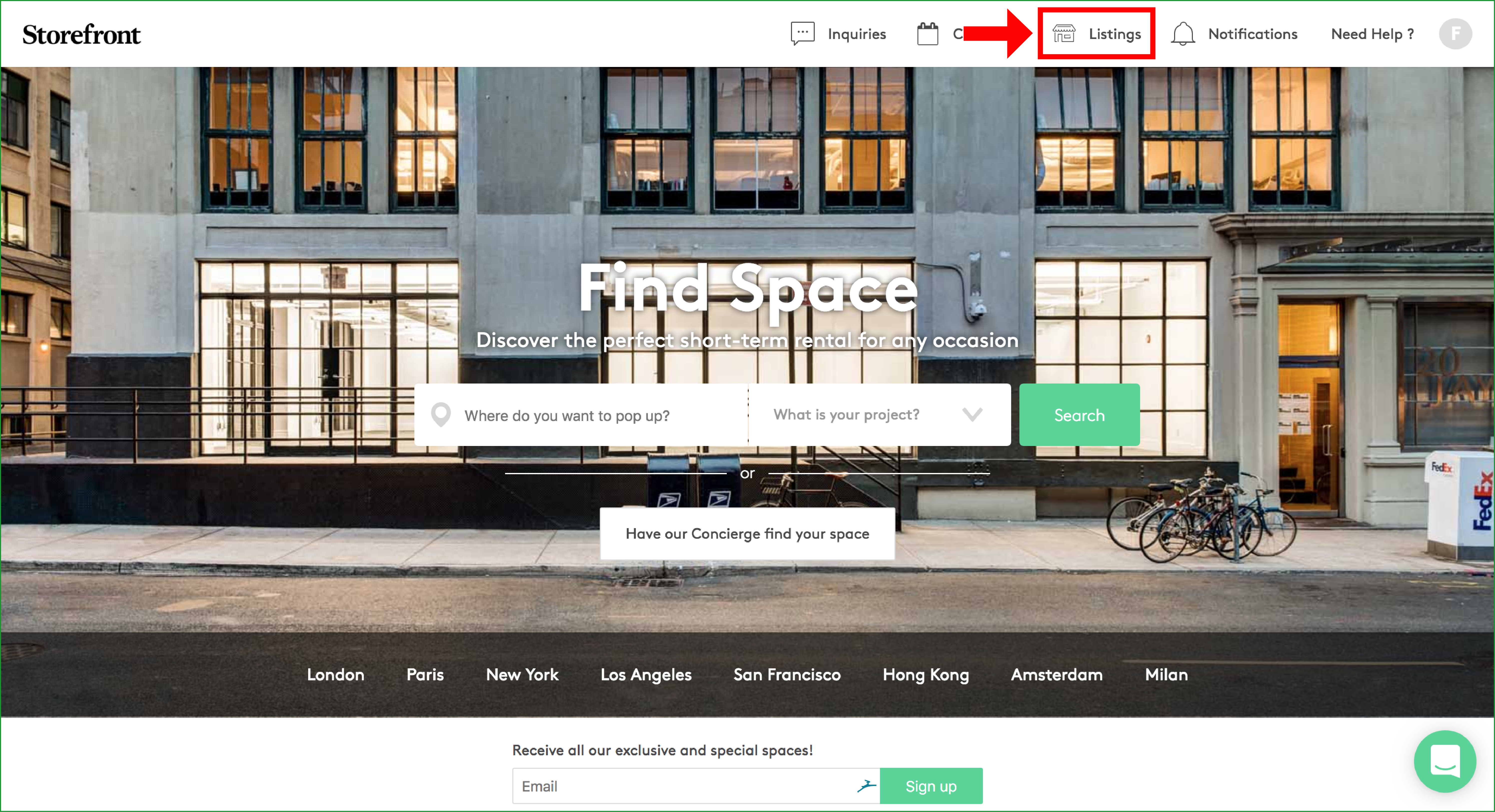
此頁面將顯示您在 Storefront 帳戶中的所有房源。
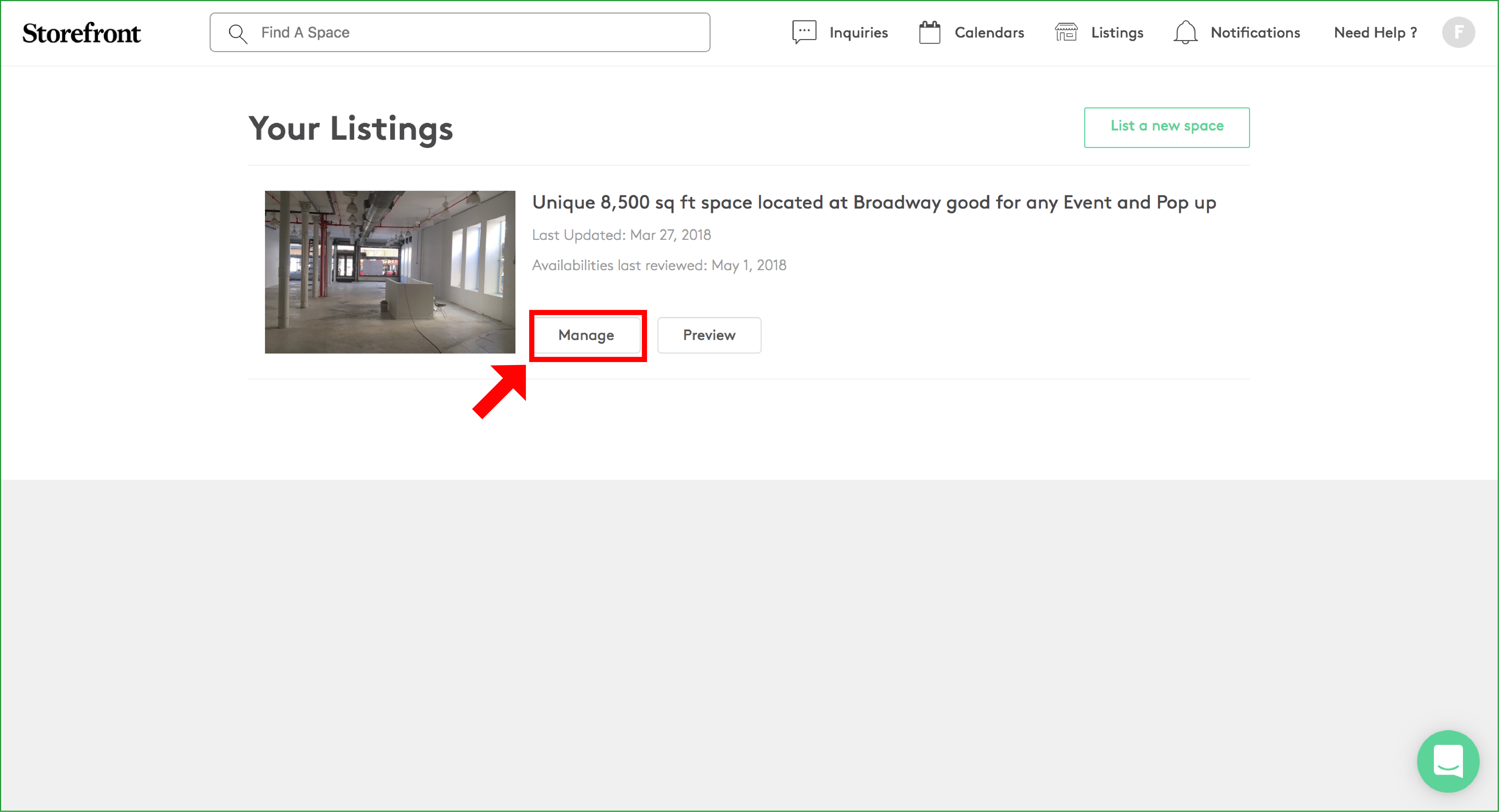
點擊「管理」進入單個房源的編輯視圖:
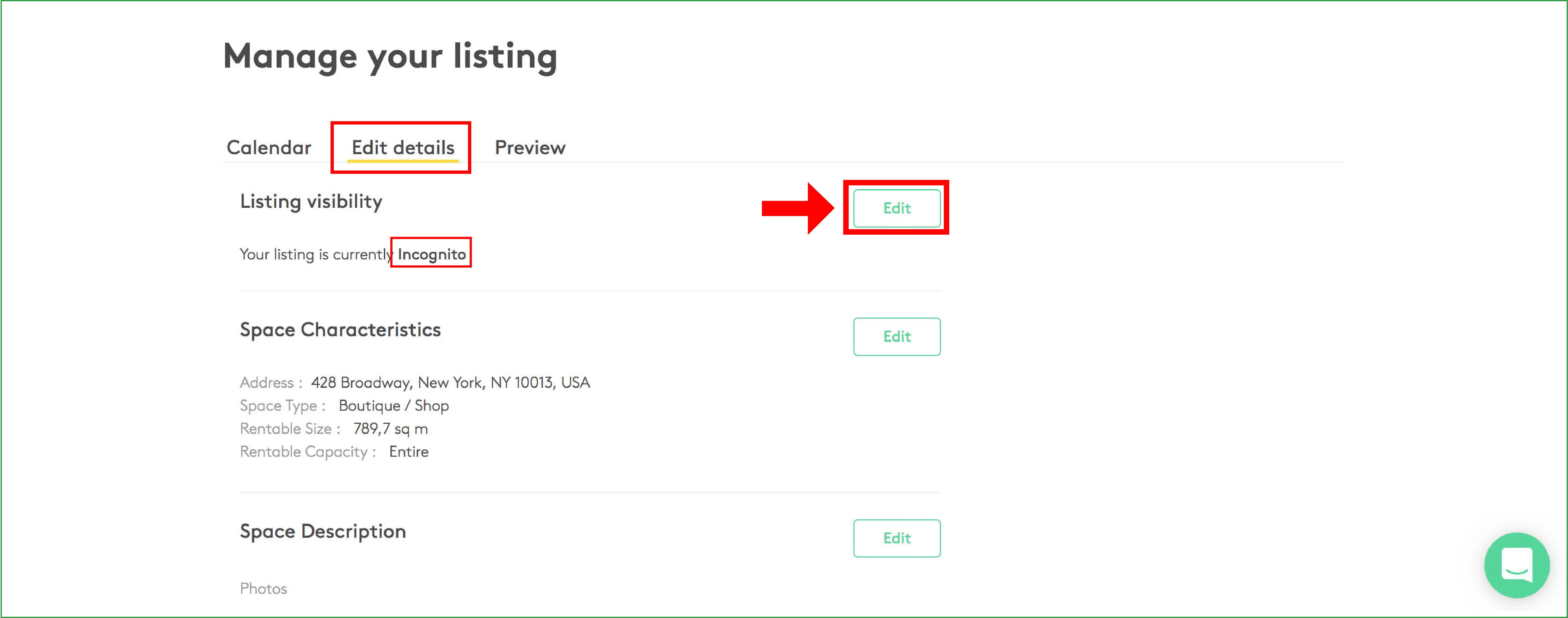
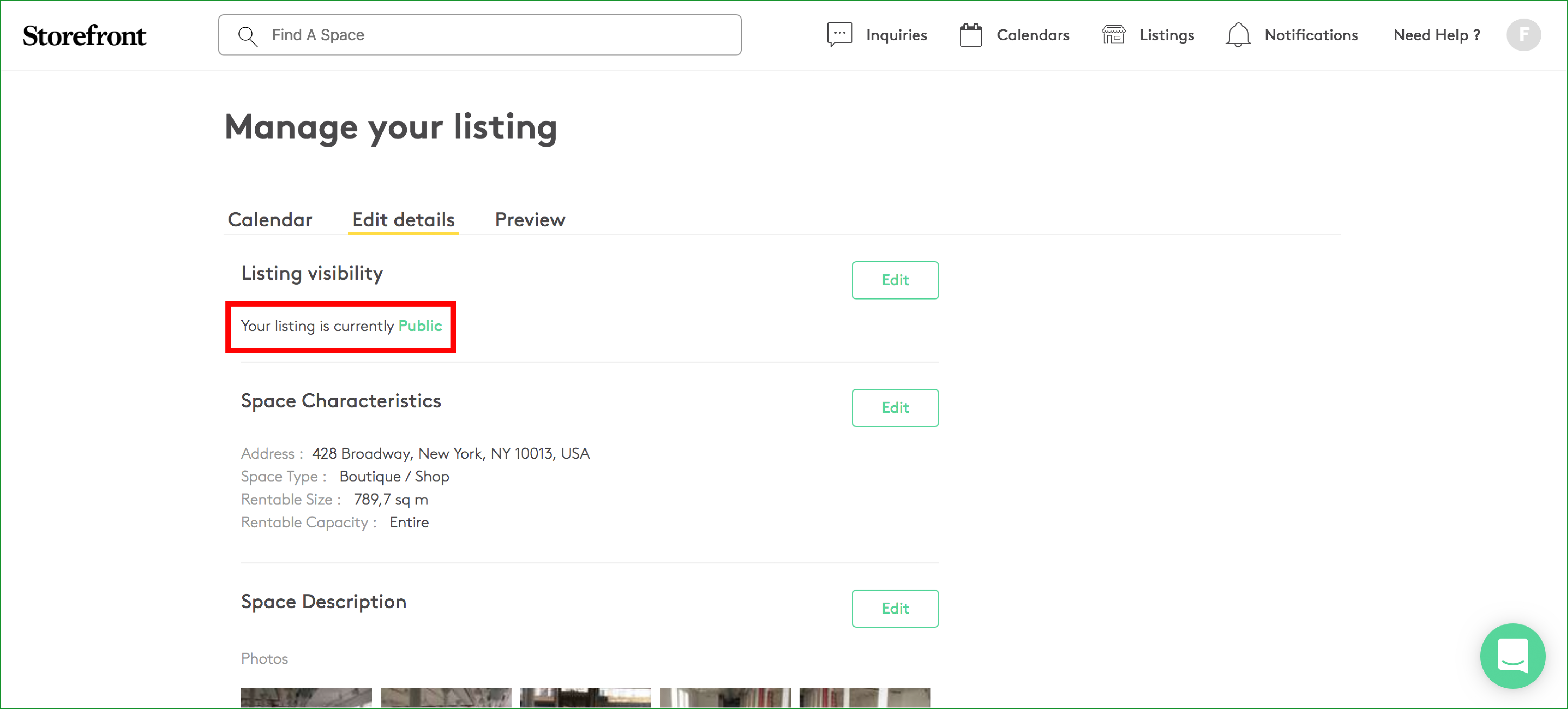
現在您可以在房源的各項設定之間切換。如需更改「房源可見度」,請停留在「編輯詳情」部分。在此您可以看到「您的房源目前為隱身」狀態。如需更改可見度狀態,請點擊「編輯」,如截圖所示:
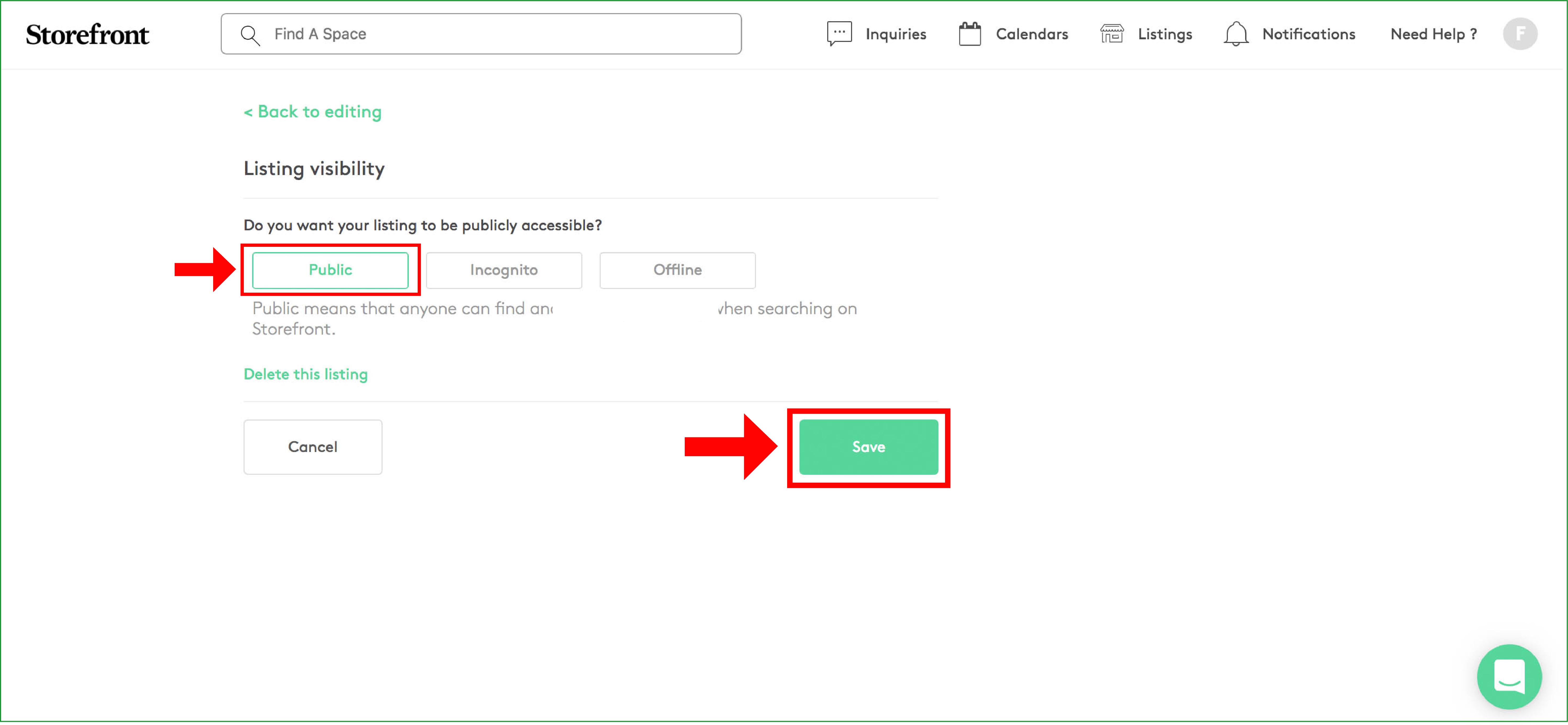
此視圖可讓您以 3 種不同方式切換房源可見度。
請確保選擇「公開」,如下方截圖所示。這是使您的房源對租戶完全可見的唯一選項。
公開 - 公開表示任何人在 Storefront 上搜索時都能找到並查看您的房源。
隱身 - 隱身表示只有擁有連結的人才能在 Storefront 上找到並查看您的房源。
下架 - 下架表示只有您自己才能找到並查看您的房源。
選擇所需的可見度狀態後,您需要點擊「儲存」以保存新設定,如截圖所示:
您已成功更改房源的可見度狀態。您的房源從「隱身」狀態改為「公開」,超過 10 萬個透過 Storefront 尋找場地的全球品牌和零售商現在可以完整看見您的房源。
如有更多問題,請隨時直接聯繫我們的支援團隊。
我們很樂意為您提供協助!:-)