
로그인한 뒤 페이지 오른쪽 위의 계정 메뉴를 열고 “계정 & 설정”을 선택하세요.
결제 아래에서 “인출 설정”을 선택하세요.

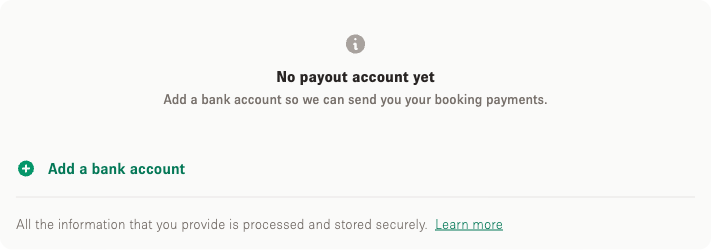
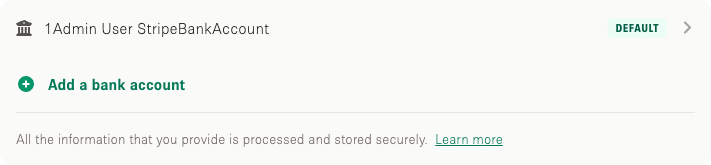
“은행 계좌 추가”를 선택하고 계좌 정보를 입력하세요. 표시되는 항목은 회사가 등록된 국가에 따라 다릅니다.
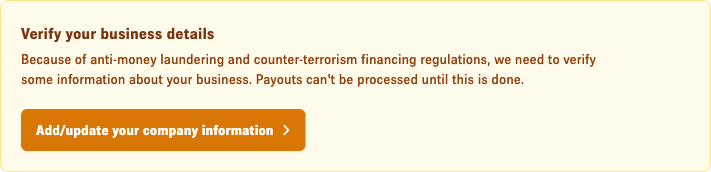
세무 및 보안상의 이유로 정산 전에 본인과 회사에 대한 추가 정보를 요청받을 수 있습니다.

Storefront 고객센터
계정 설정에서 은행 계좌를 추가해 대여 수익을 받는 방법과, 회사 등록 국가에 따라 입력 항목이 달라지는 이유, 추가로 요청될 수 있는 정보를 설명합니다.
업데이트: 2026년 9월 22일
로그인한 뒤 페이지 오른쪽 위의 계정 메뉴를 열고 “계정 & 설정”을 선택하세요.
결제 아래에서 “인출 설정”을 선택하세요.
“은행 계좌 추가”를 선택하고 계좌 정보를 입력하세요. 표시되는 항목은 회사가 등록된 국가에 따라 다릅니다.
세무 및 보안상의 이유로 정산 전에 본인과 회사에 대한 추가 정보를 요청받을 수 있습니다.