
隨時掌握您的場地可用性,並使用 Storefront 上房源的日曆功能。這是一個簡單而高效的工具,可向潛在租戶傳達可用性資訊。


登入帳戶後,您可以點擊頂部導航欄中的「日曆」。請參考以下截圖:

Storefront navigation bar with a red arrow pointing to the Calendars tab

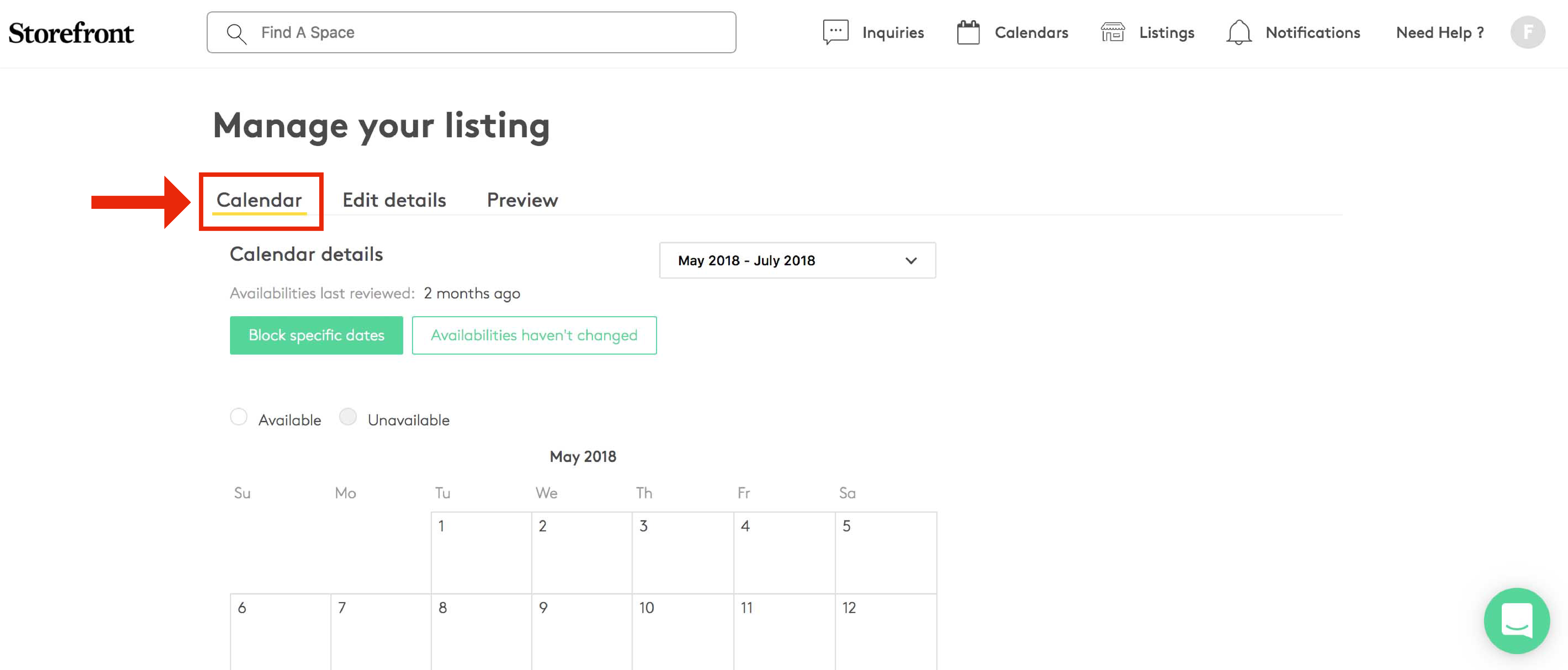
您將進入「管理您的房源」頁面,直接顯示「日曆」標籤:

Manage your listing page with the Calendar tab highlighted with a red box and arrow

如何在日曆上封鎖特定日期?

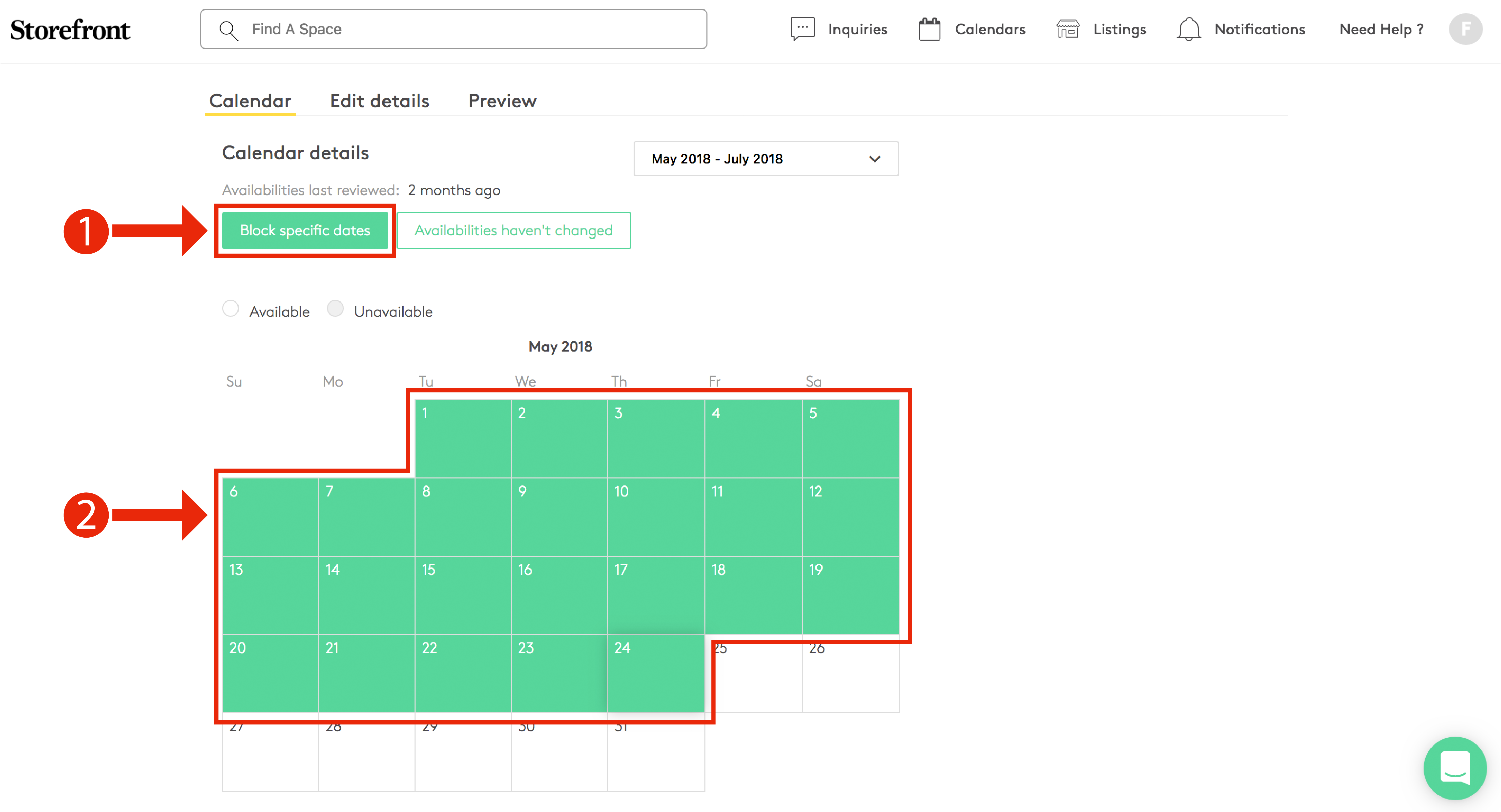
您有兩種方式可以在房源日曆上封鎖日期:

  1. 您可以點擊「封鎖特定日期

  2. 您也可以拖放日期,將其設定為「可用」或「不可用

Listing calendar management showing Block specific dates button highlighted and multiple May 2018 dates selected in green

將彈出一個視窗,您可以在其中選擇日期並設定為「可用」或「已封鎖」,如截圖所示:
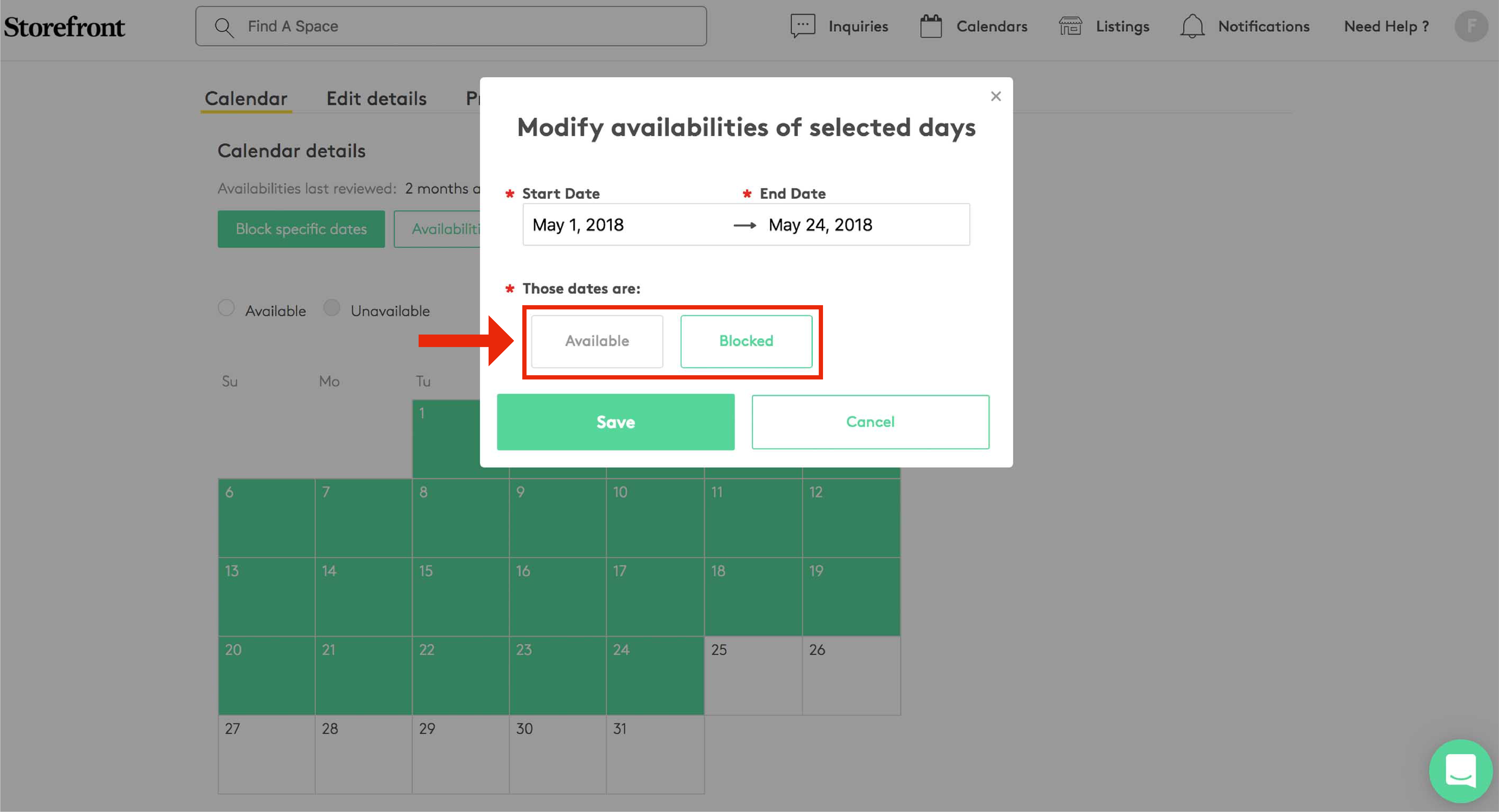
Modify availabilities of selected days modal showing date range May 1 to May 24 2018 with Available and Blocked toggle options

潛在租戶如何查看我的日曆可用性?


當潛在租戶提交房源詢問時,他們將選擇快閃活動的日期,顯示效果如截圖所示。所有被封鎖的日期將被標記:
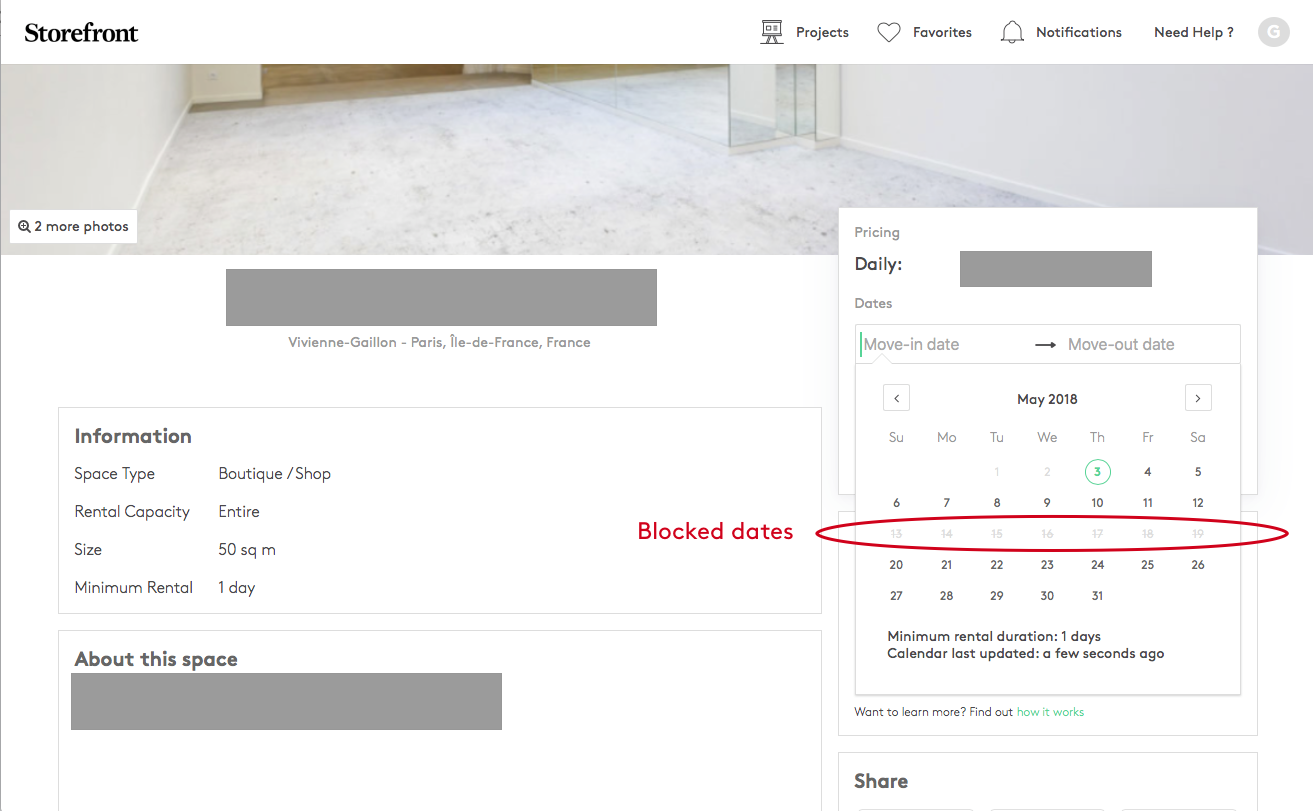
Space listing page with a calendar showing blocked dates annotated with a Blocked dates label


請確保持續更新日曆並掌握您的可用性。這將提升您的預訂潛力並避免混淆。

立即開始吧 ;) 立即更新您的房源!